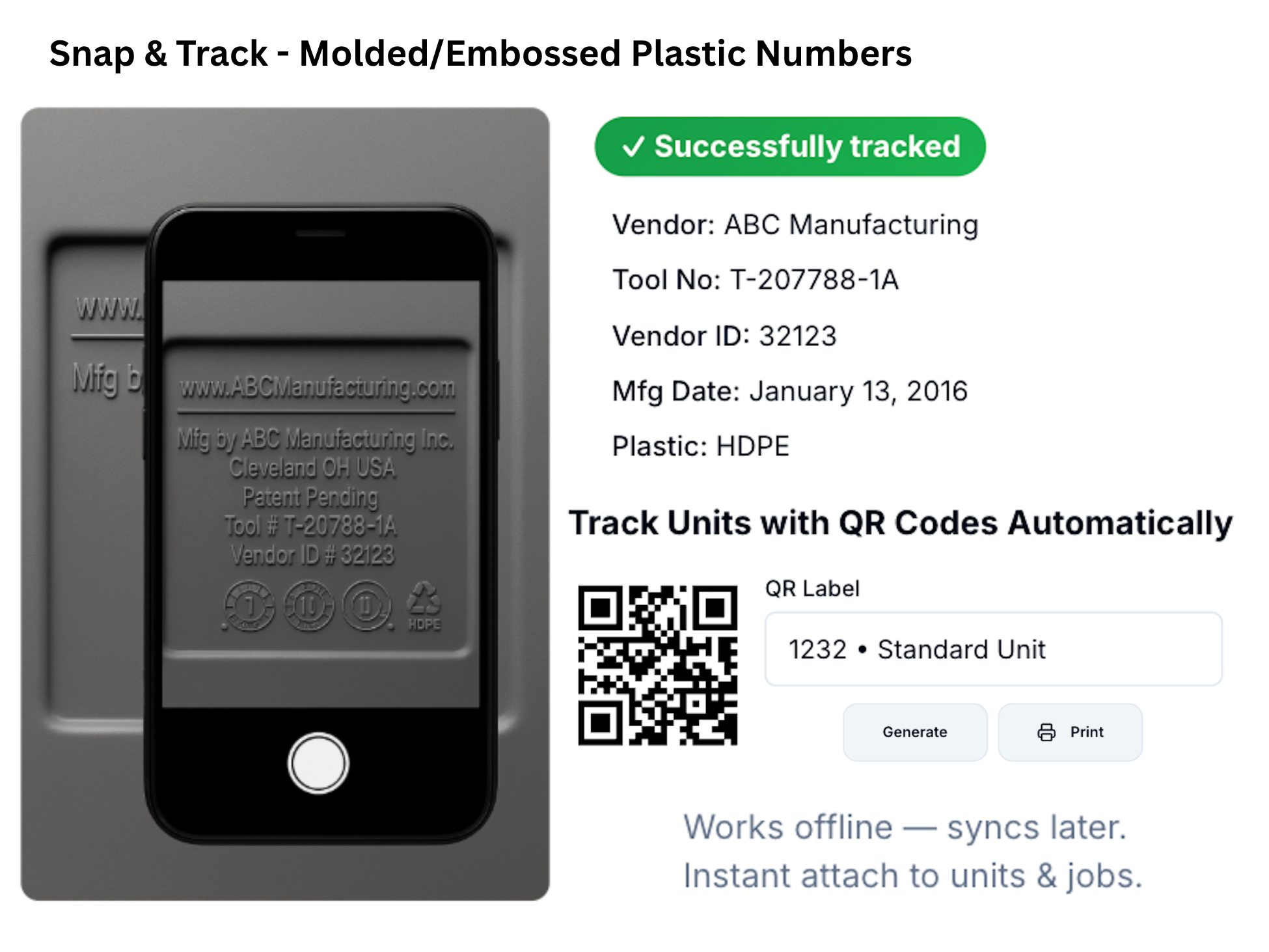
Stop Typing Tool Numbers. Start Scanning.
Vision OCR reads embossed tool numbers, vendor IDs, resin codes, manufacturing dates, and mold cavities directly from molded plastic markings. No typing. No guesswork. Just verified identification.
"Small identification errors create big operational messes. This is a practical accuracy upgrade for real-world conditions."
The Faded Marking + The Wrong Unit
It's a busy morning at a construction site. Two nearly identical units sit side-by-side. The job assignment says Unit T-54321-A.
Your driver squints at a faded embossed marking, takes a guess, and services the wrong unit. Back at the office, someone types "T-54312-A" from a blurry photo. Now the database thinks a unit exists that doesn't. You've created phantom inventory with one transposed digit.
"The data is molded into the plastic. The problem has always been capturing it reliably."
How It Works
From photo to verified record in seconds
Capture Photo
Point your phone at the unit's embossed ID panel and snap a photo
Extract Text
Vision OCR automatically reads tool #, vendor ID, resin code, date, and cavity
Match Record
System matches extracted data to the correct unit record in your database
Confirm & Continue
Move forward without manual entry errors—data is verified and saved
See Vision OCR in Action
Watch how a driver scans a unit in the field and the data flows instantly into inventory.
Vision OCR Demo Video
2:15 walkthrough
Why Teams Use Vision OCR
Practical accuracy upgrades for real-world conditions
Reduce Unit ID Mistakes
Faster identification when labels are worn or hard to read. No more squinting at faded markings or guessing transposed digits.
Speed Up Audits
Streamline verification in the yard or field. Walk your inventory with a phone and verify every unit in a fraction of the time.
Cleaner Records
Consistent identification keeps history accurate. No phantom units, no duplicate entries, no typo-driven data corruption.
Tool Tracking: Before & After Vision OCR
Before Vision OCR
- Drivers scribble tool numbers on work orders (often wrong)
- Office staff types identifiers from photos or notes
- Stickers/tags fade, tear, or get pressure-washed off
- No reliable traceability to manufacturer or production run
- Similar units get mixed up in the yard and assigned incorrectly
After Vision OCR
- Snap photo → structured fields saved to the unit record
- Identification is permanent (molded into plastic)
- Traceability from yard → field → manufacturer → production run
- Wrong-unit alerts prevent service mistakes on-site
- Real inventory audits by walking the yard with a phone
Common Workflows
How operators use Vision OCR every day
Yard Audits
Verify units quickly and confidently. Walk the yard, scan each unit, and reconcile your physical inventory against the database in minutes instead of hours.
Field Verification
Confirm you're servicing the right unit at the right site. Scan before service—system alerts immediately if the tool number doesn't match the job assignment.
Swap Scenarios
Keep assignments correct even when units move fast. Scan the outgoing unit, scan the incoming unit—system updates all records and maintains full chain of custody.
Built for Real-World Tool Tracking
Multi-field extraction, confidence scoring, offline capture, and full audit trails.
Multi-Field Extraction
Tool #, vendor, resin, date, cavity
Confidence Scoring
Field-level accuracy percentages
Offline Capture
Cache photos, process when connected
Full Audit Trail
Timestamped scan history with photos
Search by Tool #
Instant lookup by extracted ID
Wrong-Unit Alerts
Prevent field service mistakes
Direct DB Write
No CSV imports or manual entry
Warranty Tracking
Group by vendor, date, cavity
"We had phantom units showing up in the system for years because of typos. Vision OCR fixed that in week one. Now our drivers scan before every service—we've eliminated wrong-unit mistakes and our warranty tracking actually works."
Frequently Asked Questions
Ready to Stop Typing and Start Scanning?
See how Vision OCR eliminates manual entry errors and brings structure to your unit identification.
Schedule a Demo